Your Notebook Can Now Create and Refresh a Materialized View, No Pipeline Needed
Standalone materialized views and streaming tables now run from a notebook too — know when that beats the SQL editor or a full pipeline.

A nightly notebook rebuilds the day’s gold aggregate: read silver, group by region, overwrite the table. It is the kind of thing most data platform teams already have a dozen of, and it works, right up until someone asks for it to stay current during the day without becoming its own pipeline project. The usual fallback is a view that recomputes the whole query on every read, or a scheduled job that reruns a full MERGE no matter how little actually changed underneath it.
On November 11, 2026, Databricks closed that gap a little further. Creating and refreshing standalone materialized views and streaming tables from a notebook on serverless general compute reached general availability, defined either with plain SQL through spark.sql() or with the pyspark.pipelines decorators called outside a pipeline for the first time.
What actually changed
Until now, the decorators that declare a materialized view or a streaming table — @dp.materialized_view and @dp.table — only meant anything inside a Lakeflow pipeline. A pipeline file is not run like a normal notebook: the runtime reads the decorated functions across every source file, builds a dataflow graph, and decides the order and the incremental logic itself. Calling those functions directly, the way you’d call any other Python function, did nothing useful.
That restriction is gone for this one case. The same two decorators now also work in an ordinary notebook running on serverless general compute, where they define a standalone materialized view or a standalone streaming table rather than a node in a pipeline graph. The same notebook can read a table, transform it, and then declare the aggregate as a materialized view in the next cell, with no pipeline file, no pipeline deployment, and no separate editor.
Declaring it inside a notebook
The SQL route is the more direct one to picture, because it is the same statement you would otherwise type into the SQL editor, just issued through spark.sql():
CREATE OR REFRESH MATERIALIZED VIEW shop.gold.daily_revenue_by_region
SCHEDULE EVERY 1 HOUR
AS SELECT
  region,
  date_trunc('day', order_time) AS sales_date,
  sum(cast(revenue AS DECIMAL(18,2))) AS total_revenue
FROM shop.silver.orders
GROUP BY region, sales_date;
The Python side uses the pipelines decorators the way they already work inside a pipeline, with spark.read for a materialized view and spark.readStream for a streaming table:
from pyspark import pipelines as dp

@dp.materialized_view(name="daily_revenue_by_region")
def daily_revenue_by_region():
    return (
        spark.read.table("shop.silver.orders")
        .groupBy("region")
        .agg({"revenue": "sum"})
    )

@dp.table(name="orders_bronze")
def orders_bronze():
    return (
        spark.readStream.format("cloudFiles")
        .option("cloudFiles.format", "json")
        .load("/Volumes/shop/landing/orders/")
    )
Both produce the same kind of object described in gold objects: tables, views, materialized views, streaming tables: a Unity Catalog managed table, not a view, backed by a dedicated serverless pipeline that Databricks creates for it. That matters because the refresh economics already documented for the SQL-editor version of these objects carry over directly. A materialized view’s refresh is billed as serverless pipeline DBUs, not against whatever compute the notebook itself is running on, and incremental refresh only kicks in when the source tables have row tracking enabled — without it, every refresh silently becomes a full recompute. A streaming table only becomes incremental when the query actually reads its source with streaming semantics; a batch read compiles and runs, but rescans everything each time.
Three places to declare the same object
The notebook route does not replace the other two ways of getting to a materialized view or streaming table, it adds a third. The SQL editor is still the natural home for a gold table an analyst owns outside of any Python workflow, described in standalone materialized views in Databricks SQL and streaming tables from Databricks SQL. A full Lakeflow pipeline is still the right answer once there is more than one dataset, a dependency graph between them, and quality expectations to enforce along the way.
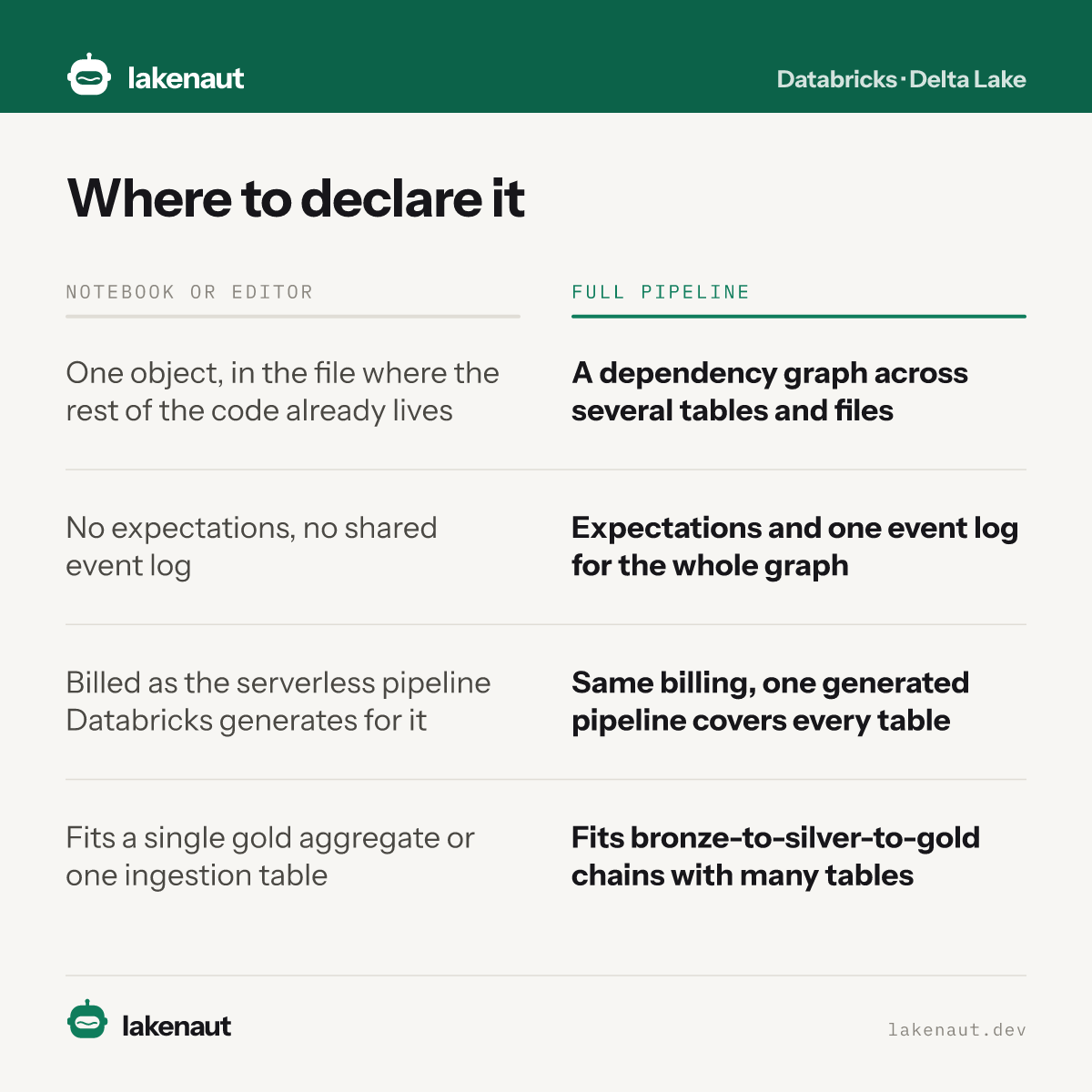
The notebook route sits in between: it is for the single aggregate or the single ingestion table that already lives next to other notebook code, where opening a pipeline editor for one object would be more process than the object deserves.
What goes wrong in production
The traps are the same ones that already apply to standalone materialized views and streaming tables declared anywhere else, and the new entry point does not change them, it just puts them one notebook cell closer to being easy to skip past.
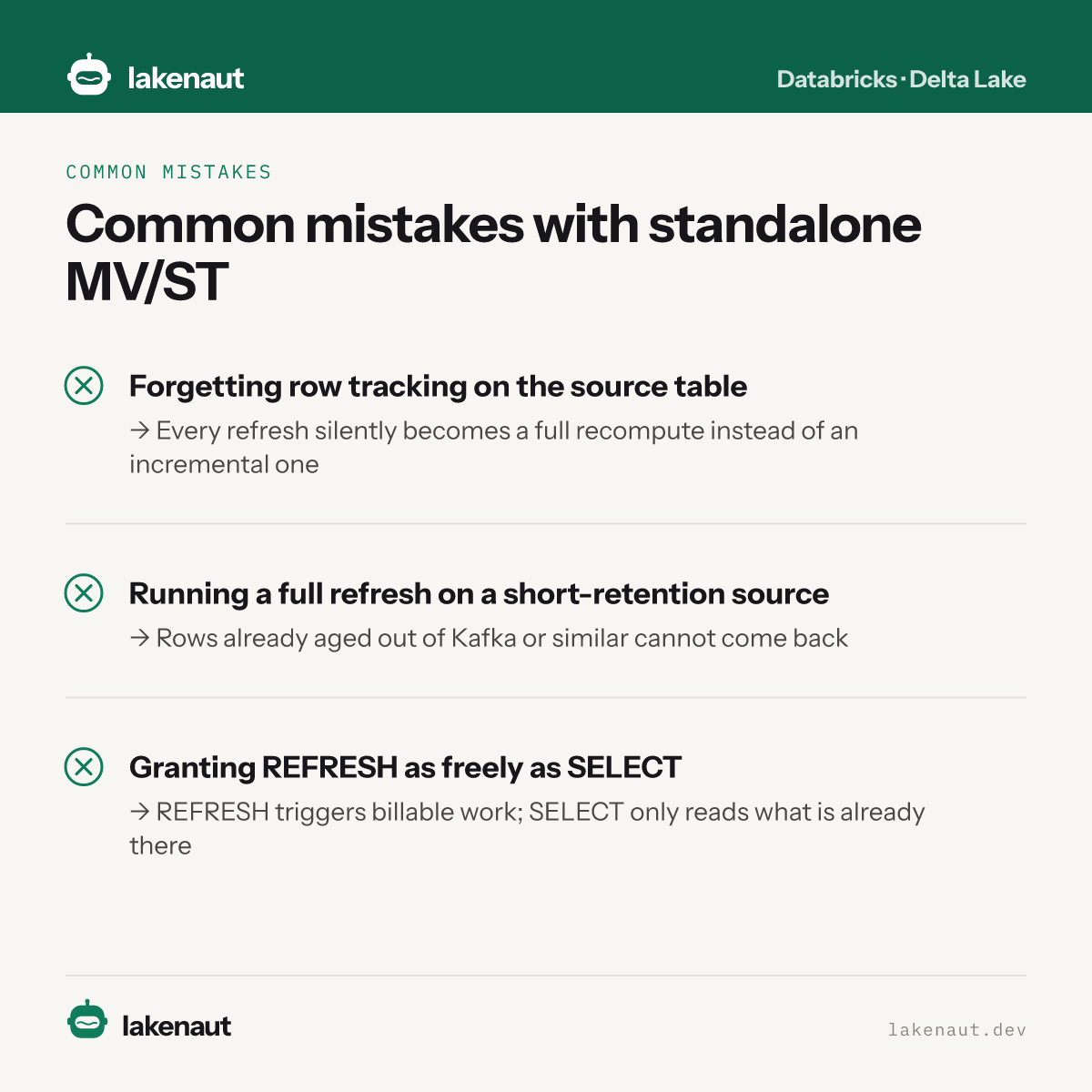
Row tracking is the one that bites first. Incremental refresh needs delta.enableRowTracking on the Delta sources, and recreating a source table drops the property again, so a routine schema migration can quietly turn every later refresh into a full recompute. Nothing errors; the job just runs longer and costs more, and the only way to notice is to look.
Full refreshes on a streaming table are the other one. CREATE OR REFRESH STREAMING TABLE ... FULL reprocesses everything currently available in the source, which is only expensive against object storage but is destructive against a source with limited retention: data that has already aged out of a Kafka topic is not there to be re-read, so a full refresh on that kind of source leaves the table missing history it used to have.
The third is about who can spend the money. SELECT and REFRESH are separate privileges on these objects on purpose, because a refresh does real, billable work and a read does not. Handing out REFRESH as casually as SELECT means anyone who can query the table can also trigger a serverless pipeline run whenever they like.
What to watch once it’s running
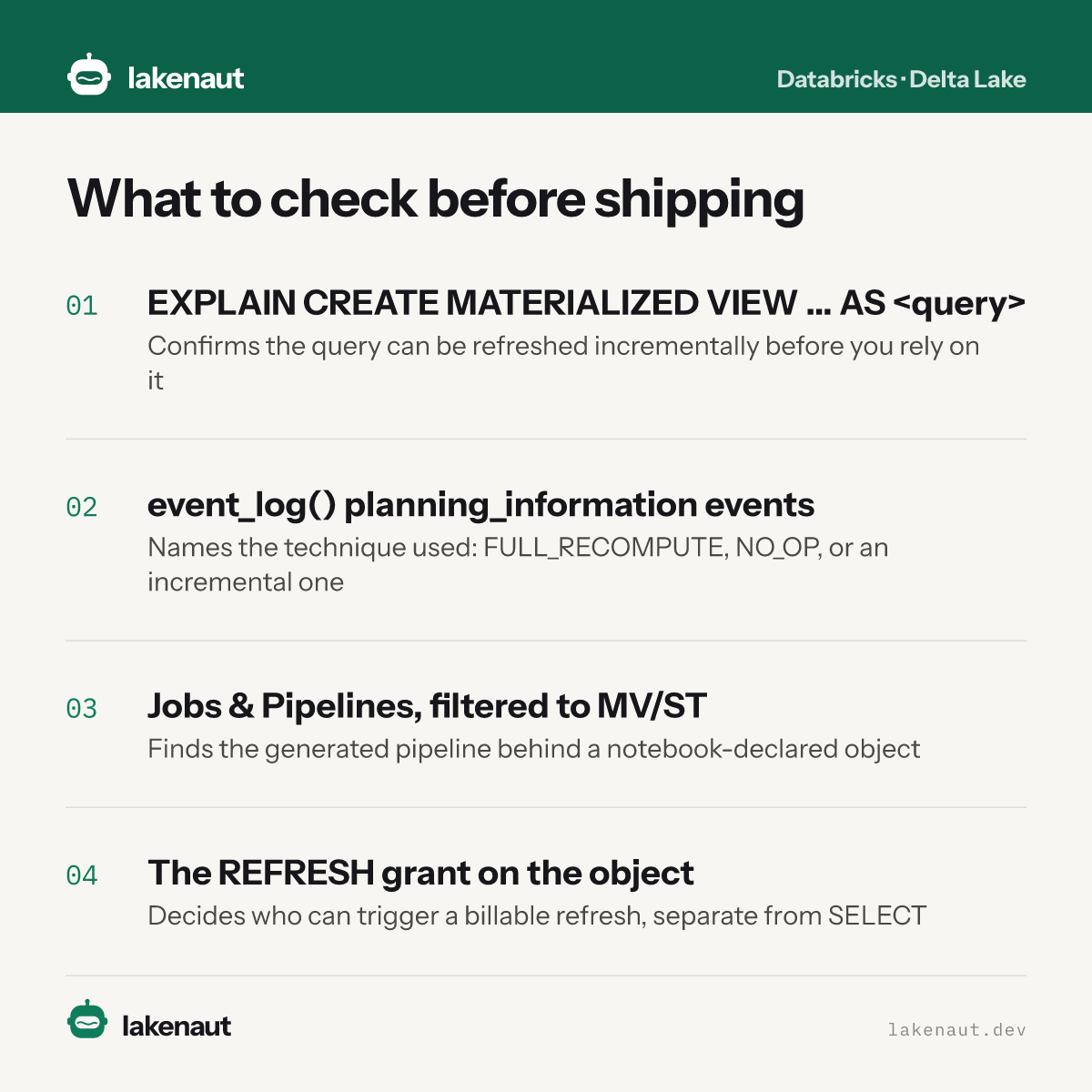
Because the underlying object is a managed materialized view or streaming table regardless of where it was declared, the same places to look for trouble apply. EXPLAIN CREATE MATERIALIZED VIEW ... AS <query> answers whether a query can structurally refresh incrementally at all, before the first real refresh runs and before anyone is surprised by its cost. The pipeline’s own event log, queryable with event_log() against the table, records a planning_information event on every refresh naming the technique that was actually used — FULL_RECOMPUTE, NO_OP, or one of the incremental techniques — which is the fastest way to confirm row tracking is still doing its job after a schema change. The generated pipeline itself shows up in the Jobs & Pipelines list when filtered to the MV/ST type, which is where to go looking when a notebook-declared object needs the same kind of operational attention a hand-built pipeline would get.
Monday, worth doing before the next notebook job gets rewritten:
- List the notebook jobs that currently do a full read-group-overwrite against a gold table every run, and check which of them would rather be a standalone materialized view with
TRIGGER ON UPDATEthan a job on a fixed schedule. - Turn on row tracking and deletion vectors on the source tables before converting anything, and confirm with
EXPLAIN CREATE MATERIALIZED VIEWthat the query is actually incrementalizable. - Decide, per object, who holds
REFRESH— the schedule, the owning team, or nobody but an on-call engineer — before the first reader asks for it too.
The concepts this stands on
Pages read for it
Get the changes that matter by email