Your Real-Time Streaming Query Will Drop Late Events Differently on Databricks Runtime 19
A new Databricks Runtime 19 default moves the watermark inside the batch instead of only at its edge, and changes what a real-time query treats as late.

A fraud-scoring query has been running in real-time mode for months: a dedicated classic cluster, Photon off, autoscaling off, a Kafka topic in, a Kafka topic out, sub-second latency because the business needs an answer before the transaction clears. Nobody touches it except to bump the Databricks Runtime version at the scheduled maintenance window. Runtime 19 lands, the cluster restarts, and three weeks later someone notices the fraud model is scoring fewer late-arriving events than it used to — not because anything in the model changed, but because the watermark underneath the query now moves differently, and it moved differently the moment this became a new query instead of a resumed one.
That’s the shape of the change that shipped in the November 16, 2026 update to Databricks Runtime 19: real-time watermark propagation is now on by default for new real-time mode streaming queries. It’s a narrow change — it only touches real-time mode, not the micro-batch mode almost everyone else runs — but for the teams it does touch, it changes what “late” means, and it does so silently enough that the first sign is usually a support ticket, not a release note.
What actually changed
Real-time mode is Databricks’ trigger for sub-second Structured Streaming, built for things like fraud scoring or triggering a promotion while a session is still open. It schedules every stage of the query at once and moves data between stages with a streaming shuffle instead of waiting for a batch boundary, which is also why it only runs on classic compute with autoscaling and Photon turned off, needs Databricks Runtime 16.4 LTS or above, and only supports update output mode.
Under the old behavior — which is still the default for micro-batch mode, and is still what you get if you turn the new setting off — the watermark only moves between batches. A real-time batch can run for minutes; for all that time, the cutoff for “late” is wherever it was at the start of the batch. With real-time watermark propagation on, each stateful operator advances its own watermark, evicts state, and fires timers continuously while the batch is running, instead of waiting for the batch to end. Databricks’ own description of the effect is blunt: new stateful queries can see more aggressive late-event filtering and shorter state retention than before, which is exactly what that fraud query experienced.
The per-partition math changed with it. With propagation on, the watermark is computed as the minimum of the maximum event time seen on each source partition — a slow partition holds the whole watermark back, so a fast partition can’t drag the cutoff ahead of data that’s still in flight. For Kafka and Kinesis sources specifically, Databricks tracks each topic partition or shard separately as a source partition, even when several of them land on the same Spark input partition; a maxPartitions setting lower than the real partition count means one slow partition can still gate the rest. With propagation off, it’s the maximum across partitions instead — the same max-of-max rule micro-batch mode uses. Two different knobs, two different failure modes, and only one of them is new.
What breaks, and when
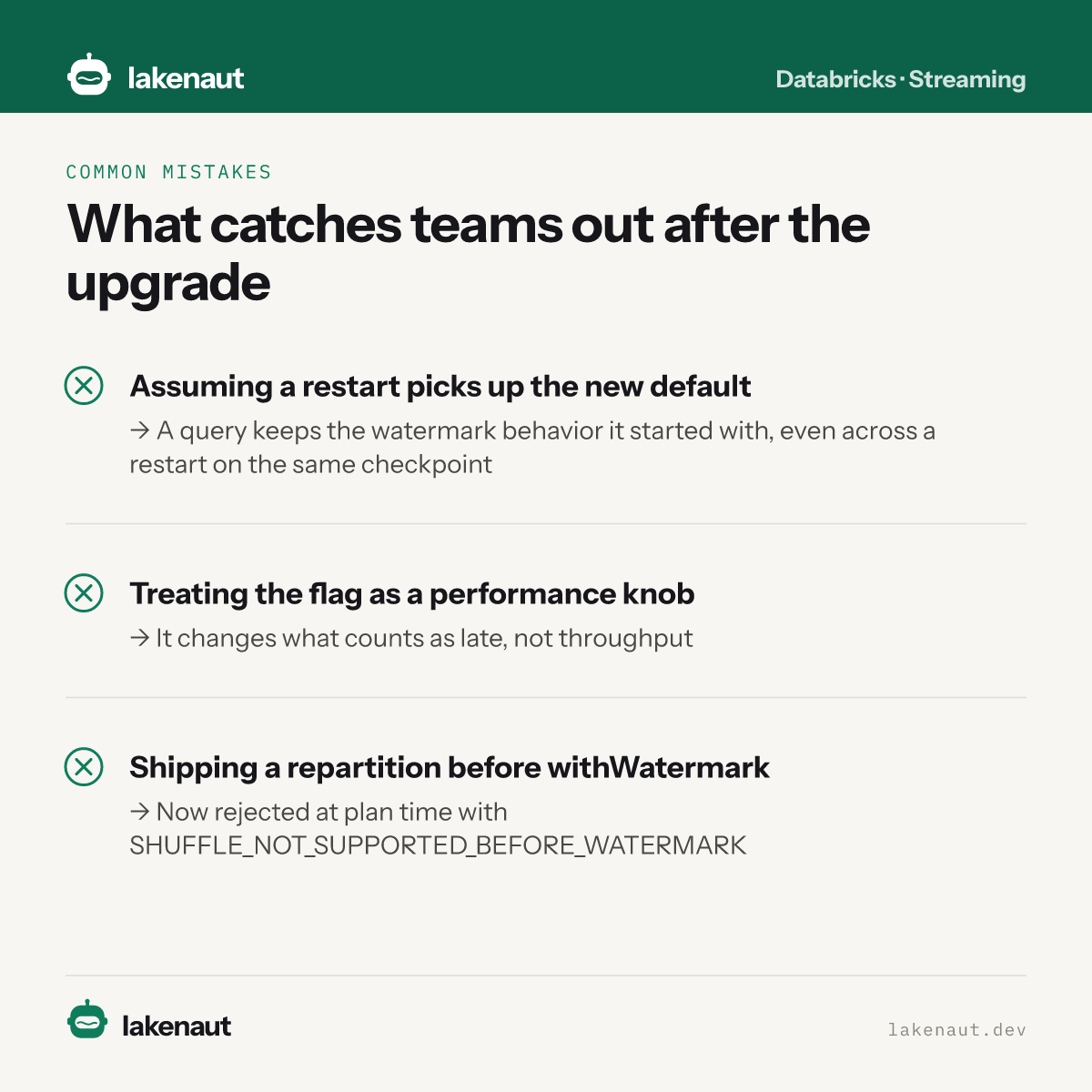
The restart behavior is the part worth sitting with. A query keeps whatever watermark setting it started with, even across a restart from the same checkpoint. That means upgrading the runtime underneath a running query changes nothing by itself. The change only shows up when the query is genuinely new, or when something — a code change, a schema change, a deliberate reset — forces it onto a new checkpoint. Teams that treat “restart on the same checkpoint” and “redeploy from scratch” as interchangeable operational steps are the ones most likely to be surprised, because the two now produce different watermark behavior under the same runtime.
There’s also a planning-time check that wasn’t there before. With real-time watermark propagation on, two query shapes are rejected before any task runs: a shuffle placed before withWatermark — repartition(n).withWatermark(...) fails outright with SHUFFLE_NOT_SUPPORTED_BEFORE_WATERMARK — and more than one shuffle between a stateful operator and the nearest watermark or stateful operator upstream of it, which fails with MULTIPLE_SHUFFLES_NOT_SUPPORTED. A query shape that planned fine under the old default can refuse to start under the new one. That’s a better failure than silent data loss, but it means a query that worked in a lower environment can fail the moment it’s promoted to a workspace or cluster where the new default actually applies.
# fails to plan under real-time watermark propagation:
# shuffle happens before the watermark is declared
stream = (df
    .repartition(8)
    .withWatermark("event_time", "30 seconds")
    .groupBy("session_id")
    .count())

# plans fine: watermark first, then one shuffle
stream = (df
    .withWatermark("event_time", "30 seconds")
    .repartition(8)
    .groupBy("session_id")
    .count())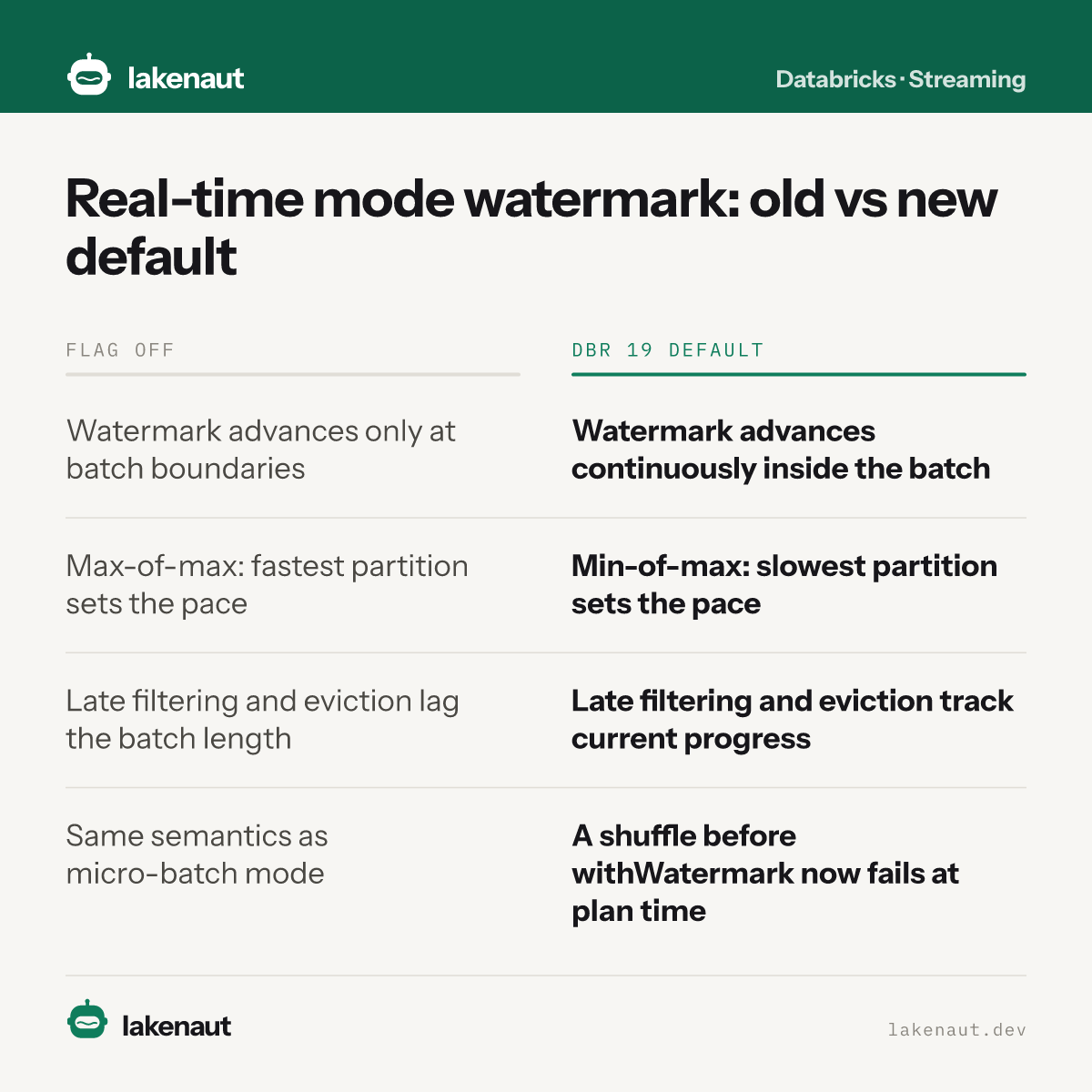
Stream-stream joins carry their own extra cost. Inner joins in real-time mode need a set of Spark configurations switched on by hand before they’ll run at all, outer joins aren’t supported in real-time mode regardless of the watermark setting, and a join sharing a cluster with other real-time streams needs Databricks Runtime 18 LTS or above just to be eligible. None of that is new in this release, but it’s exactly the part of a real-time deployment most likely to collide with the new watermark default, because joins are where state and timing already matter most.
Operating it after the upgrade
Start by checking which of your streaming workloads this even applies to. If a query runs in processingTime, availableNow, or the unspecified default trigger, real-time watermark propagation doesn’t touch it — this is strictly a real-time-mode behavior. Most Databricks streaming workloads are micro-batch by default, so for a lot of teams the honest answer is “none of our queries are affected,” and that’s worth confirming rather than assuming.
For the queries that are real-time mode, the setting is explicit and reversible: spark.databricks.streaming.realTimeMode.realTimeWatermark.enabled, set to true or false in the session or in the compute’s Spark configuration before the query starts. Because the behavior is sticky per checkpoint, the only way to move an existing query from one semantics to the other is to restart it from a new checkpoint — which also means reprocessing whatever that implies for your source and your downstream consumers. Databricks’ own guidance is to validate any new stateful real-time query in a pre-production environment before it runs in production, which is a reasonable bar to hold a runtime upgrade to as well.
# make the choice explicit instead of inheriting the default
spark.conf.set(
    "spark.databricks.streaming.realTimeMode.realTimeWatermark.enabled",
    "false",  # keep batch-boundary watermark semantics for this query
)
Once a query is running, the mechanics of watermarks and stateful streaming already name the metrics worth watching for runaway or shrinking state: the stateOperators section of the streaming query progress log, in particular numRowsTotal, and checkpoint size over time. After this kind of upgrade, the number to watch is the rate of change, not just the absolute size — a state footprint that suddenly drops after a restart is the expected effect of tighter eviction, not evidence of a bug, provided the drop in output volume downstream is explained by genuinely late data and not by a watermark delay that was tuned for the old timing. If a dashboard or a downstream consumer starts seeing fewer records than before with no change in source volume, that’s the first place to look.
What to do this quarter
Pull a list of every streaming query running in real-time mode specifically — not streaming in general — and separate it from everything on processingTime or availableNow, which this change does not touch. For each real-time query, note whether its next deployment forces a new checkpoint; if it does, decide the watermark setting on purpose instead of letting the runtime’s default decide it, and write that decision down next to the query the way you would any other configuration that silently defaults differently across versions.
Before that redeploy goes anywhere near production, run it in a lower environment first and compare late-event rates and state size against the previous checkpoint’s history — the same validation Databricks recommends for any new stateful real-time query applies just as well to an old one crossing this boundary. And if any of those queries use repartition or another shuffle ahead of withWatermark, fix the ordering before the upgrade finds it for you, since that failure happens at plan time, loudly, on whichever deploy first creates a new checkpoint under Databricks Runtime 19. More detail on how trigger intervals decide when a query looks for new data, and on what real-time mode actually requires from the cluster underneath it, is worth a second read before that query goes anywhere near a new checkpoint.
The concepts this stands on
Pages read for it
Get the changes that matter by email